Passport Photo Requirements: Size, Face, Background and Dress Rules
Passport Photo Requirements in Short
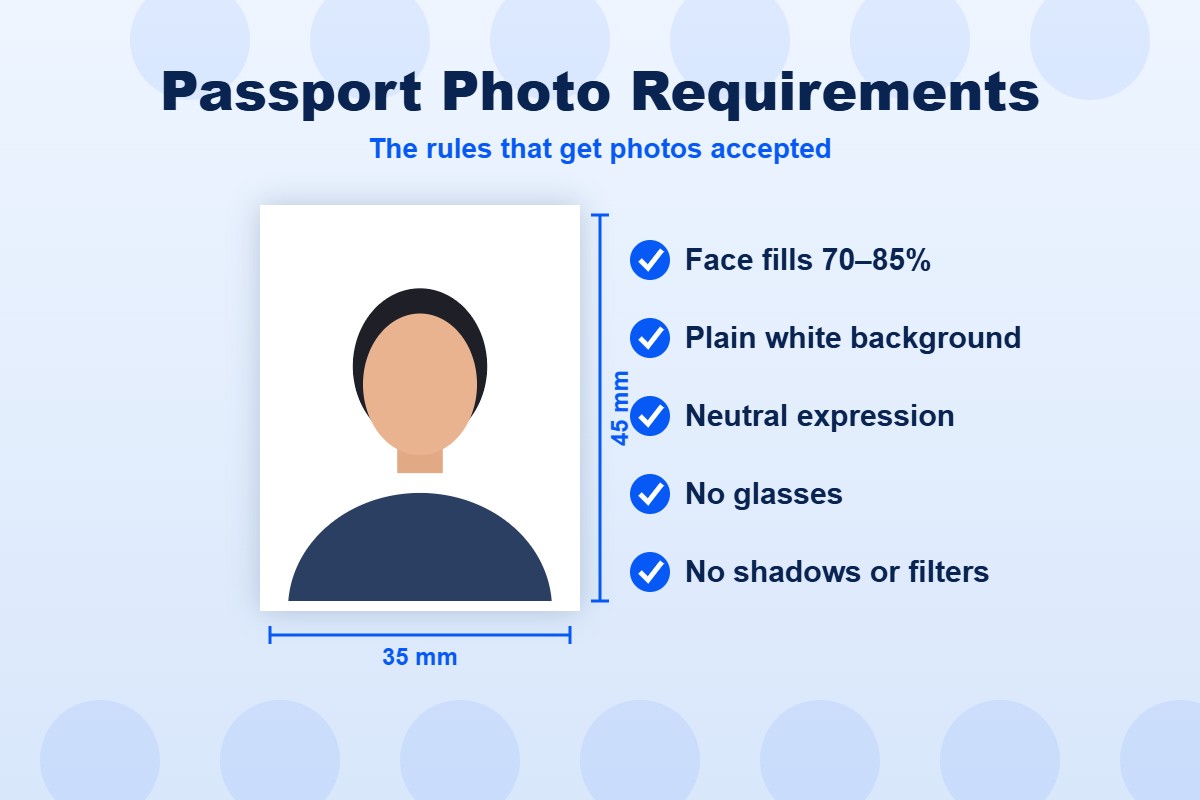
Most countries follow the ICAO biometric photo standard, so the core passport photo requirements are almost the same everywhere:
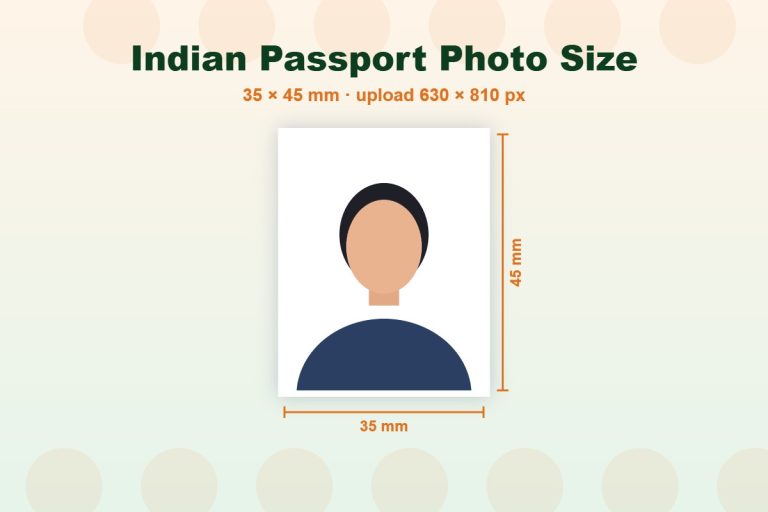
- Size: usually 35 × 45 mm (2 × 2 inches in the US). Digital uploads have their own pixel size, such as 630 × 810 px for Indian Passport Seva.
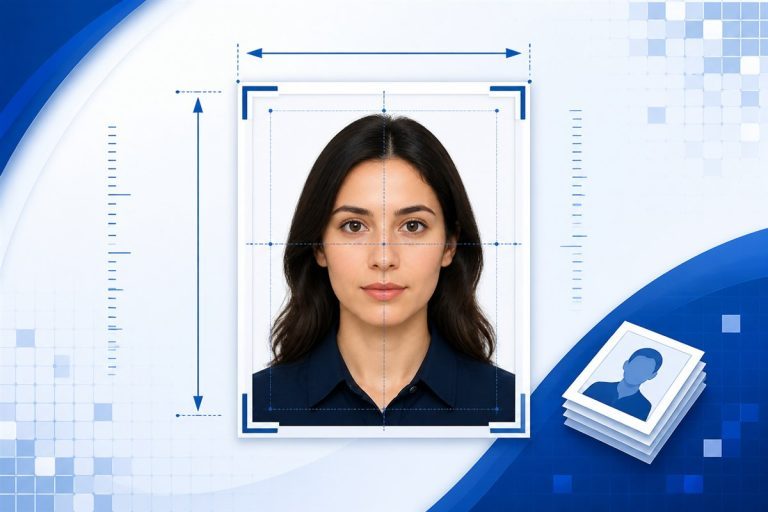
- Face size: the head (chin to crown) fills about 70–80% of the photo height; India asks for 80–85%.
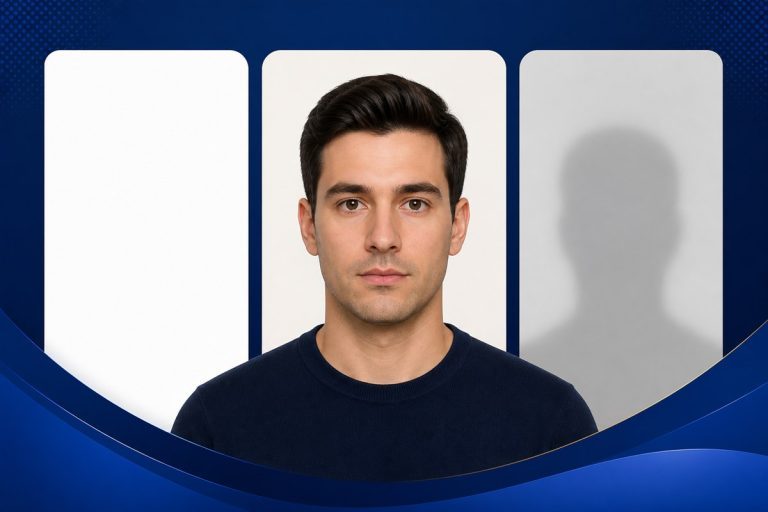
- Background: plain, evenly lit and light, usually white or off-white, with no shadows or patterns.
- Expression: neutral, mouth closed, both eyes open and looking at the camera.
- Glasses: not allowed in most countries, including India (from 2025) and the US.
- Recency: taken within the last 6 months and showing how you look now.
- No editing: no filters, beauty mode, AI retouching or changed facial features.
The rest of this guide explains each rule and shows where countries differ.
Photo Size and Dimensions
The printed size depends on the country. Use the exact size printed on your form or shown by the online portal.
| Country / document | Print size | Digital upload |
|---|---|---|
| India passport | 35 × 45 mm | 630 × 810 px JPEG, 10–250 KB |
| United States passport and visa | 2 × 2 in (51 × 51 mm) | 600 × 600 px minimum, visa ≤ 240 KB |
| UK passport | 35 × 45 mm | Online photo code or digital upload |
| Schengen visa | 35 × 45 mm | Usually printed |
| UAE / Dubai visa | 43 × 55 mm (see note) | Portal upload |
| China passport | 33 × 48 mm | — |
More sizes are in Passport Size Photo Size and Visa Photo Size by Country.
Face Size and Head Position (70–85% Rule)
Authorities measure how much of the photo your face fills. Too small and the face recognition check fails; too large and the top of the head or chin gets cut off.
- For a 35 × 45 mm photo, the head from chin to crown should measure about 32–36 mm.
- India’s Passport Seva guidelines ask for the face to fill 80–85% of the photo, so crop tighter for Indian passports.
- For a US 2 × 2 inch photo, the head should be 1 to 1 3/8 inches (25–35 mm) and the eyes 1 1/8 to 1 3/8 inches from the bottom.
- Keep the head centred and straight, not tilted or turned.
- Leave a little space above the hair and show the top of the shoulders.
Background Colour
A plain white or off-white background is accepted almost everywhere. India now requires white. Some Schengen consulates prefer light grey, especially for people with very light hair. There must be no shadows, textures, furniture or other people behind you.
The full guide is Passport Photo Background. If your photo has a busy background, use the passport photo background changer to replace it with plain white before resizing.
Expression, Eyes and Mouth
- Neutral expression with the mouth closed. A broad smile showing teeth is rejected by most countries. The US allows a natural, closed-mouth smile.
- Both eyes open and clearly visible. Hair must not cover the eyes or eyebrows.
- Look straight into the camera.
- No red-eye.
Glasses, Jewellery and Head Coverings
- Glasses: remove them. India, the US, the UK and most Schengen countries reject photos with glasses except for documented medical reasons.
- Jewellery: small earrings are usually fine if the face is not hidden. Avoid anything that reflects light onto the face.
- Head coverings: allowed only for religious or medical reasons. The full face from chin to forehead must still be visible, without shadows.
- Headphones, hats and hair accessories that change the outline of the head are not allowed.
Clothing and Dress for a Passport Photo
There is no official dress code, but some choices cause rejections:
- Avoid white or very light tops on a white background. Your shoulders disappear into the background.
- Avoid uniforms and camouflage patterns. Several countries reject them.
- Plain, darker everyday clothing (navy, black, maroon, dark green) gives the best contrast.
- A collared shirt or simple top looks most professional for documents that are also used for jobs, such as ID cards or a resume photo.
Changing your clothing digitally (“passport size photo dress change”) counts as altering the photo, so it may be rejected for passports and visas.
Lighting and Shadows
Shadows are one of the most common reasons for rejection. Use soft, even light from the front, such as daylight from a window you are facing. Stand about 0.5–1 m away from the wall so your shadow does not fall on the background. Avoid a single overhead light, which creates shadows under the eyes and nose. If a shadow remains on the background, retake the photo rather than painting it out; heavy editing can be detected.
Photo Quality and Editing
- Sharp focus with natural skin tones, in colour.
- No filters, beauty mode, skin smoothing or AI enhancement.
- Not pixelated or over-compressed. Keep the JPEG quality high and only compress down to the KB limit you are given.
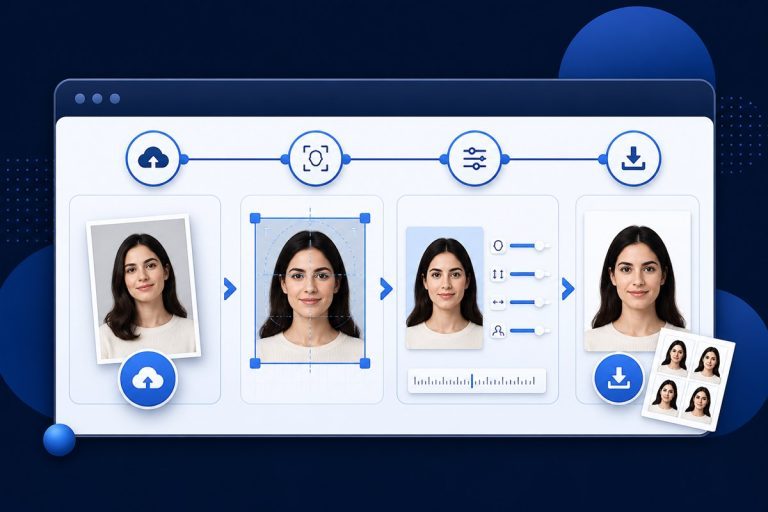
- Do not stretch the image to fit a size. Crop it instead, as the photo maker does.
Children and Babies
Children follow the same rules, with some flexibility for babies: the eyes of a newborn may not need to be fully open, and the baby can lie on a plain white sheet. No hands, toys or other people may be visible. More tips are in Joint, Family and Baby Photo Sizes.
Checklist Before You Submit
- Correct size for your country or form, in mm or pixels.
- Face fills 70–80% (India: 80–85%) of the height and is centred.
- Plain white or light background, no shadows.
- Neutral expression, eyes open, no glasses.
- Taken within 6 months, no filters or editing.
- JPEG within the KB limit for online forms, or printed on photo paper at 300 DPI.
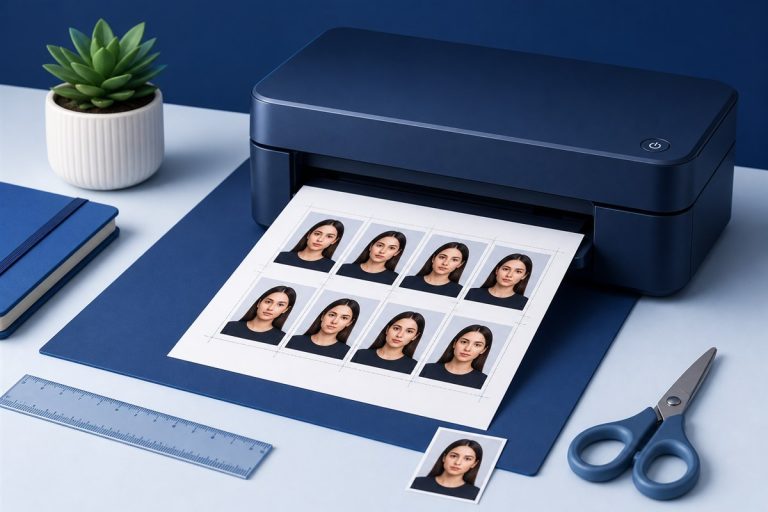
When everything is ready, create the photo with the free passport size photo maker and print it with the 4 × 6 or A4 print sheet.
Most Common Reasons Passport Photos Are Rejected
Most rejected photos fail for one of a few avoidable reasons. Check your photo against this list before you print or upload it.
| Rejection reason | What it looks like | How to fix it |
|---|---|---|
| Face too small or too large | Lots of space around the head, or the chin or hair cut off | Crop so the head is 70–80% of the height (India 80–85%) |
| Shadows | Dark patch behind the head or under the nose | Face a window; stand 0.5–1 m from the wall |
| Wrong background | Coloured wall, pattern, door frame, furniture | Use a plain wall or a white sheet |
| Glasses | Frames or glare over the eyes | Remove glasses |
| Expression | Smile with teeth, raised eyebrows, eyes half closed | Neutral face, mouth closed, eyes open |
| Head tilted or turned | One ear much bigger than the other | Look straight into the lens |
| Poor quality | Blurry, grainy, too dark or overexposed | Use daylight and hold the camera steady |
| Edited photo | Smoothed skin, filters, changed background colour with halos | Use an unedited original photo |
| Wrong size or file | Wrong mm size, not square for the US, file over the KB limit | Use the correct preset and compress to the limit |
| Old photo | Looks different from you today | Take a new photo within 6 months |
Printed Photo vs Digital Photo Requirements
Many applications now use a digital photo instead of, or as well as, a print. The appearance rules are the same, but the technical checks are different.
| Printed photo | Digital upload | |
|---|---|---|
| Size | Physical size in mm or inches (for example 35 × 45 mm) | Pixel size (for example 630 × 810 px or 600 × 600 px) |
| Quality | 300 DPI or higher, on photo paper | Sharp, not over-compressed |
| File | — | Usually JPEG with a KB limit (for example ≤ 240 KB for a US visa) |
| Checks | Checked by an officer | Often checked automatically on upload |
| Common mistake | Printing at “fit to page” | Uploading a screenshot or a file over the KB limit |
When a form gives both a print size and a pixel size, prepare two files: one at 300 DPI for printing, and one at the exact pixel size for upload.
How to Take a Passport Photo at Home
- Background: stand in front of a plain white or light grey wall. If you don’t have one, tape a white bedsheet flat behind you.
- Light: face a window during the day. Avoid direct sunlight, which causes hard shadows, and turn off yellow ceiling lights.
- Distance: stand about 0.5–1 m from the wall so your shadow does not fall on it.
- Camera: ask someone to take the photo with the rear camera at eye level from about 1.2–1.5 m. Selfies distort the face and are often mirrored.
- Pose: shoulders square to the camera, head straight, neutral expression, eyes open.
- Take several shots and choose the sharpest.
- Crop and resize with the passport size photo maker, then print it with the 4 × 6 or A4 sheet.
Passport Photo Requirements by Country: Quick Differences
The core rules are shared, but these details vary:
- India: white background only, 80–85% face coverage, no glasses; upload 630 × 810 px (details).
- United States: square 2 × 2 in, head 1–1 3/8 in, glasses not allowed; digital visa photo ≤ 240 KB (details).
- United Kingdom: 35 × 45 mm, plain cream or light grey background; online applications use a digital photo.
- Schengen: 35 × 45 mm, head 32–36 mm, light background; some consulates prefer grey (details).
- UAE: 43 × 55 mm is most common, white background (details).
- China: 33 × 48 mm.
For more countries, see Visa Photo Size by Country.
Related Guides
- Passport Size Photo Maker — crop, resize and download your photo free
- Passport Size Photo Size — dimensions in mm, cm, inches and pixels
- Passport Photo Background — best background colour and how to get it
- Indian Passport Photo Size — Passport Seva 630 × 810 px rules
- Visa Photo Size by Country — sizes for 15+ countries in one table
Frequently Asked Questions
What are the requirements for a passport photo?
A recent colour photo of the correct size (usually 35 × 45 mm or 2 × 2 inches), with the face filling about 70–80% of the height, a plain white or light background, a neutral expression, eyes open, no glasses and no editing or filters.
Can I smile in a passport photo?
Most countries require a neutral expression with the mouth closed. The US allows a natural closed-mouth smile, but a smile showing teeth is usually rejected.
Can I wear glasses in a passport photo?
Usually not. India, the US, the UK and most Schengen countries reject photos with glasses unless there is a documented medical reason.
What does 80% face coverage mean in a passport photo?
It means the head, from chin to the top of the head, fills about 80% of the photo height. India asks for 80–85%; most other countries ask for 70–80%.
What should I wear for a passport photo?
Plain everyday clothing in a darker colour that contrasts with the white background. Avoid white tops, uniforms and camouflage.
Is a passport photo with a shadow accepted?
No. Shadows on the face or background are a common reason for rejection. Use soft front light and stand away from the wall.
How recent does a passport photo need to be?
Most countries require a photo taken within the last 6 months that shows how you look now.
Can I take my passport photo with a phone?
Yes, if you follow the rules: plain background, even light, rear camera at eye level, and no filters. Then crop it to the correct size.
Can I wear makeup in a passport photo?
Normal everyday makeup is fine. Avoid heavy makeup or anything that changes your appearance, and do not apply beauty filters.
Why was my passport photo rejected?
The most common reasons are a face that is too small or too large, shadows, a non-plain background, glasses, a non-neutral expression, editing, or the wrong size or file format.
AUTHOR & WEBSITE OWNER
Written by Muzammal Amin
Muzammal Amin is a PhD student in Physics at the University of Turin with core expertise in mathematics and physics. He develops and reviews the website’s measurement guidance and browser-based photo utility.
Passport Size Photo
An independent online photo utility to create passport-size photos quickly, privately, and easily in your browser.
© PassportSizePhoto.org
Independent online photo utility.
Not affiliated with any government authority.