Change Passport Photo Background
Upload a photo, pick a background colour, and download. Processing happens on your device — the photo is not uploaded.
Background colour
Edge softness
Download or resize
Best results: one person, face and shoulders visible, good light. Check the edges around hair before using the photo. Some authorities reject heavily edited photos, so follow the rules of the office you apply to.
How to Change Passport Size Photo Background Online
- Upload your photo. Use a clear, front-facing photo with your head and shoulders visible.
- Wait a few seconds while the on-device model separates you from the background. The first run downloads a small model; later runs are faster.
- Pick a colour: white for India, the US, Dubai and most visas; off-white or light grey for some Schengen and UK uses; blue or red only if your form asks for it.
- Check the edges around hair and shoulders. Use edge softness to smooth them, and hold “see original” to compare.
- Download the JPG or click Resize to passport size to open it in the passport size photo maker and crop it to 35 × 45 mm, 2 × 2 in or any other size.
Which Background Colour Should You Choose?
| Use | Recommended background |
|---|---|
| Indian passport (Passport Seva) | Plain white (guide) |
| US passport and visa | White or off-white (guide) |
| Dubai / UAE visa | White (guide) |
| Schengen visa | White or light grey (guide) |
| PAN card, driving licence, ID | White or light (PAN, DL) |
| Exam or job forms | Whatever the notice says; usually white, sometimes light blue |
Background colour rules and colour codes are explained in Passport Photo Background.
White Background Passport Size Photo
To make a passport size photo with a white background, choose the white swatch (#FFFFFF), download, then resize. Wear darker clothes so your shoulders don’t blend into the white background. If the original photo has strong shadows on your face, retake it in better light. Changing the background does not remove shadows on the face.
Is Changing the Background Allowed?
Replacing a plain wall with a plain, uniform colour is a common way to prepare photos for forms and many online applications. Some passport authorities say photos must be unaltered and use automated checks. If you are applying for a passport or visa, the safest option is a photo taken against a real plain white wall; use this tool when that isn’t possible, keep the result natural, and never change your face, clothing or features. See Passport Photo Requirements.
Privacy
The photo is processed in your browser with Google’s open-source MediaPipe selfie segmentation model. The model files are downloaded from a CDN, but your photo is never uploaded to our server or anyone else’s.
How the Background Changer Works
The tool uses a person segmentation model (Google’s open-source MediaPipe selfie segmenter) that runs inside your browser:
- The model looks at every pixel and estimates how likely it belongs to the person rather than the background.
- This creates a soft mask: 1 for the person, 0 for the background, and values in between along hair and edges.
- The tool blends your photo with the new colour using that mask, so edges stay smooth instead of jagged.
- The edge softness slider blurs the mask slightly to hide small errors around hair and shoulders.
Because everything happens on your device, the speed depends on your phone or computer. Most photos are processed in a few seconds after the model has loaded once.
Tips for the Best Result
- One person only. The model is trained for a single person; other people or mirrors in the frame confuse it.
- Clear outline. Hair, ears and shoulders should stand out from the background. A dark-haired person in front of a dark wall is harder to separate.
- Good light on the face. Background replacement does not fix shadows on your face or a dark photo.
- Plain clothes. Avoid clothing that is the same colour as the original background.
- Head and shoulders. Frame the photo like a passport photo, with the top of the shoulders visible.
- High-resolution original. Use the original phone photo, not a screenshot or a WhatsApp-compressed image.
Change Passport Photo Background to White, Blue or Red
| Colour | Code | Typical use |
|---|---|---|
| White | #FFFFFF | Passports and visas for India, the US, UAE and most other countries; PAN; driving licence |
| Off-white | #F4F4F2 | General documents; softer than pure white |
| Light grey | #E6E8EB | UK and some Schengen consulates |
| Light blue | #D8E8F8 | Some school, exam and ID forms |
| Blue | #3D7FD9 | Forms that ask for a blue background |
| Red | #D93D3D | Forms that ask for a red background |
Choose Custom colour to enter any other shade a form specifies.
Troubleshooting
| Problem | Why it happens | What to try |
|---|---|---|
| Parts of the hair turned white | Hair blends into a similar-coloured background | Use a photo with more contrast; lower edge softness |
| Halo or outline around the head | Mask edge too soft | Lower edge softness or retake with a plainer background |
| Part of the shoulder removed | Clothing similar to the background | Use a photo with contrasting clothes |
| Model does not load | Blocked network, old browser or low memory | Update the browser, close other tabs, try another browser |
| Processing is slow | Large photo on an older phone | Wait a few seconds; the photo is scaled to 1600 px automatically |
| Nothing changes | No person detected | Use a clear front-facing photo of one person |
After Changing the Background
- Click Resize to passport size. The photo opens in the photo maker automatically.
- Choose your size, for example 35 × 45 mm, 2 × 2 in or 43 × 55 mm.
- Crop so the face fills the right proportion of the frame.
- Download the photo or a 4 × 6 / A4 print sheet.
- Compare the result with the official passport photo requirements before you submit it.
Related Guides
- Passport Size Photo Maker — crop, resize and download your photo free
- Passport Photo Background — best background colour and how to get it
- Passport Photo Requirements — face size, background, glasses and dress rules
- Indian Passport Photo Size — Passport Seva 630 × 810 px rules
- US Visa Photo Size — 2 × 2 inch and 600 × 600 px
Frequently Asked Questions
How can I change my passport size photo background to white online?
Upload your photo to the background changer, choose the white swatch, check the edges and download. Then resize it to passport size in the photo maker.
Is this background changer free?
Yes. It is free, needs no sign-up and adds no watermark.
Is my photo uploaded?
No. The background is removed on your device. Only the model files are downloaded to your browser.
Which background colour is best for a passport size photo?
White is accepted for most passports and visas, including India, the US and the UAE. Some Schengen consulates prefer light grey.
Why are the edges around my hair rough?
Fine hair against a busy background is hard to separate. Use a photo with a plainer background and good light, and increase edge softness slightly.
Does the background changer work on mobile?
Yes. It runs in modern mobile browsers on Android and iPhone. The first run downloads the model, so a stable connection helps.
Can I change the background to blue for a form?
Yes. Choose the blue swatch or enter the exact colour code with the custom colour picker.
Will changing the background remove shadows on my face?
No. It only replaces the background. Retake the photo in better light if your face has shadows.
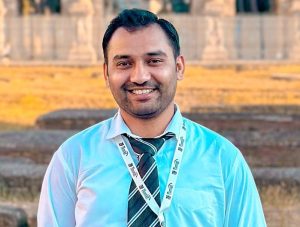
AUTHOR & WEBSITE OWNER
Written by Muzammal Amin
Muzammal Amin is a PhD student in Physics at the University of Turin with core expertise in mathematics and physics. He develops and reviews the website’s measurement guidance and browser-based photo utility.

Passport Size Photo
An independent online photo utility to create passport-size photos quickly, privately, and easily in your browser.
© PassportSizePhoto.org
Independent online photo utility.
Not affiliated with any government authority.