Passport Size Photo Size: Dimensions in mm, cm, Inches and Pixels
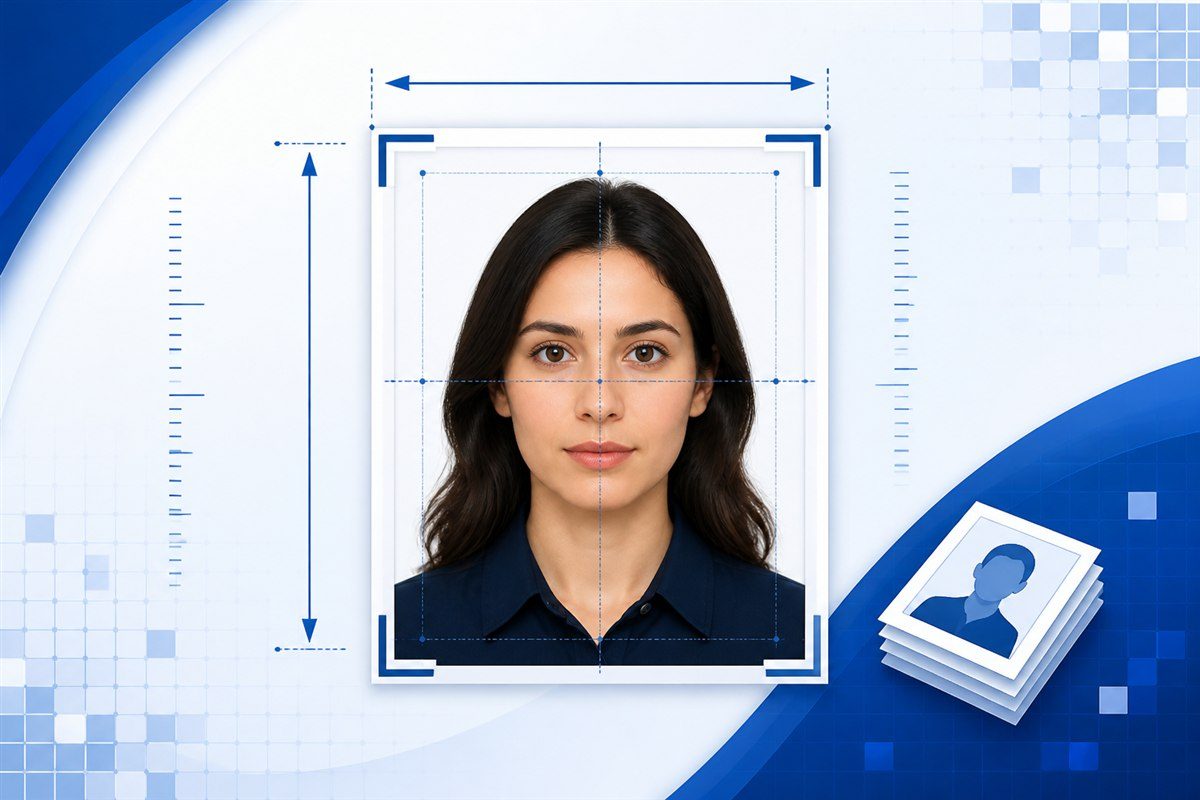
There is no single passport-size photo dimension that is correct for every country, document or application. A commonly used portrait format is 35 × 45 mm, which equals 3.5 × 4.5 cm, approximately 1.38 × 1.77 inches, and about 413 × 531 pixels at 300 DPI.
Other forms may require 35 × 50 mm, 45 × 55 mm, a square 2 × 2 inch image, or their own digital pixel dimensions. Always use the specification given by the authority or application you are preparing.
If you already know the required dimensions, use the Passport Size Photo Maker to crop, resize and download your photo.
Common Passport Size Photo Dimensions
The table below compares several common portrait and square photo formats supported by our tool.
| Size in mm | Size in cm | Approx. size in inches | Pixels at 300 DPI | Aspect ratio |
|---|---|---|---|---|
| 35 × 45 mm | 3.5 × 4.5 cm | 1.38 × 1.77 in | 413 × 531 px | 7:9 |
| 35 × 50 mm | 3.5 × 5.0 cm | 1.38 × 1.97 in | 413 × 591 px | 7:10 |
| 45 × 55 mm | 4.5 × 5.5 cm | 1.77 × 2.17 in | 531 × 650 px | 9:11 |
| 51 × 51 mm | 5.1 × 5.1 cm | 2.01 × 2.01 in | 602 × 602 px | 1:1 |
| 2 × 2 inches | 5.08 × 5.08 cm | 2 × 2 in | 600 × 600 px | 1:1 |
The pixel figures above use 300 DPI for the conversion and are rounded to the nearest whole pixel.
Notice that 51 × 51 mm and exactly 2 × 2 inches are very close, but they are not mathematically identical. Two inches equals 50.8 mm.
Passport Size Photo Size in CM
One of the most common ways people describe passport-style photo dimensions is in centimetres.
35 × 45 mm in CM
35 × 45 mm = 3.5 × 4.5 cm
Width:
3.5 cm
Height:
4.5 cm
This is a portrait aspect ratio of:
7:9
35 × 50 mm in CM
35 × 50 mm = 3.5 × 5 cm
45 × 55 mm in CM
45 × 55 mm = 4.5 × 5.5 cm
51 × 51 mm in CM
51 × 51 mm = 5.1 × 5.1 cm
Because this is square, its aspect ratio is 1:1.
If your application gives the dimensions in centimetres, you can enter them directly in the Passport Size Photo Maker by choosing Centimetres (cm).
Passport Size Photo Size in MM
Millimetres are commonly used for printed ID and passport-style photo specifications.
The relationship is simple:
10 mm = 1 cm
So:
- 35 mm = 3.5 cm
- 45 mm = 4.5 cm
- 50 mm = 5 cm
- 51 mm = 5.1 cm
- 55 mm = 5.5 cm
For a specification written as 35 × 45 mm, the first number is normally the width and the second is the height:
Width: 35 mm Height: 45 mm
Do not reverse the width and height unless the application explicitly asks for a landscape image.
Passport Size Photo Size in Inches
To convert millimetres to inches:
inches = millimetres ÷ 25.4
That gives the following approximate values:
| Millimetres | Inches |
|---|---|
| 35 mm | 1.38 in |
| 45 mm | 1.77 in |
| 50 mm | 1.97 in |
| 51 mm | 2.01 in |
| 55 mm | 2.17 in |
Therefore:
35 × 45 mm ≈ 1.38 × 1.77 inches
and:
35 × 50 mm ≈ 1.38 × 1.97 inches
If a requirement specifically says 2 × 2 inches, use 2 inches as the dimension rather than assuming that 51 mm is exactly the same measurement.
The Passport Size Photo Maker supports inches directly for custom sizes.
Passport Size Photo Size in Pixels
A physical measurement such as 35 × 45 mm does not have one fixed pixel size.
The pixel dimensions depend on the resolution used for the conversion.
For example, 35 × 45 mm produces different pixel dimensions at 150, 300 and 600 DPI.
35 × 45 mm in Pixels
| Resolution | Approx. pixel dimensions |
|---|---|
| 72 DPI | 99 × 128 px |
| 150 DPI | 207 × 266 px |
| 300 DPI | 413 × 531 px |
| 600 DPI | 827 × 1,063 px |
35 × 50 mm in Pixels
| Resolution | Approx. pixel dimensions |
|---|---|
| 150 DPI | 207 × 295 px |
| 300 DPI | 413 × 591 px |
| 600 DPI | 827 × 1,181 px |
45 × 55 mm in Pixels
| Resolution | Approx. pixel dimensions |
|---|---|
| 150 DPI | 266 × 325 px |
| 300 DPI | 531 × 650 px |
| 600 DPI | 1,063 × 1,299 px |
2 × 2 Inches in Pixels
Because the dimensions are exactly 2 inches on each side:
| Resolution | Pixel dimensions |
|---|---|
| 150 DPI | 300 × 300 px |
| 300 DPI | 600 × 600 px |
| 600 DPI | 1,200 × 1,200 px |
If an online form gives you an exact pixel requirement, use those pixels directly rather than converting from a physical print size.
How Are Passport Photo Pixels Calculated?
For measurements given in inches:
pixels = inches × DPI
For millimetres:
pixels = (millimetres ÷ 25.4) × DPI
For example, to calculate the width of a 35 mm photo at 300 DPI:
35 ÷ 25.4 × 300 ≈ 413 pixels
For a 45 mm height:
45 ÷ 25.4 × 300 ≈ 531 pixels
So a 35 × 45 mm image at 300 DPI is approximately:
413 × 531 px
Our Passport Size Photo Maker performs this conversion automatically when you enter the physical dimensions and select a DPI.
What Is the Passport Size Photo Ratio?
The aspect ratio describes the relationship between width and height.
For a 35 × 45 mm photo:
35:45
Both numbers can be divided by 5:
7:9
So the aspect ratio is:
7:9
Other common ratios include:
- 35 × 50 mm → 7:10
- 45 × 55 mm → 9:11
- 51 × 51 mm → 1:1
- 2 × 2 inches → 1:1
The ratio remains the same when the photo is converted into pixels.
For example:
413 × 531 px
is approximately the same 35:45 shape after rounding.
Passport Size Photo Height and Width
For portrait photos, the width is the smaller horizontal measurement and the height is the larger vertical measurement.
For example:
35 × 45 mm
Width:
35 mm
Height:
45 mm
3.5 × 4.5 cm
Width:
3.5 cm
Height:
4.5 cm
413 × 531 pixels
Width:
413 px
Height:
531 px
If an online portal describes fields separately as Width and Height, enter them in that order rather than copying the numbers blindly.
Is 35 × 45 mm the Standard Passport Size Photo?
It is a common passport and ID-photo format, but it should not be treated as a universal standard for every application.
Different authorities can require:
- different physical dimensions
- different digital pixel dimensions
- different aspect ratios
- a particular background
- a particular file format
- a maximum or minimum KB size
- specific head-position or facial requirements
The correct specification is the one published for the exact application you are completing.
This is why PassportSizePhoto.org labels 35 × 45 mm as a common format rather than promising that it is automatically correct for every passport.
What Is the Passport Size Photo Size in India?
In India, the phrase “passport size photo” is widely used for many forms and applications, so you should not assume that every use of the phrase has the same technical specification.
For the Indian Passport Seva process specifically, the current official guidance says that minor applicants below four years of age should carry a recent passport-size photograph measuring 4.5 × 3.5 cm with a white background. That is 45 mm high by 35 mm wide.
Passport Seva’s ordinary fresh/reissue process instructs applicants to attend the Passport Seva Kendra or Regional Passport Office, and its current application guidance specifically calls out the carried photograph requirement for minors below four.
Official source:
Passport Seva – Government of India
For other Indian uses such as examinations, recruitment forms, school applications, visas or other documents, follow the dimensions and file limits printed in that specific notification or portal.
Do not assume that a generic “passport size” label overrides the form’s own instructions.
Is Passport Size Photo 3.5 × 4.5 CM?
3.5 × 4.5 cm is the same physical size as 35 × 45 mm.
It is a common portrait photo format.
However, the fact that it is common does not mean it is correct for every country or application.
Before creating the image, confirm that the form actually asks for this size.
Is Passport Size Photo 2 × 2 Inches?
Some passport and identification systems use a square 2 × 2 inch photo, but this is not a universal passport-photo size.
Exactly 2 × 2 inches equals:
50.8 × 50.8 mm
At 300 DPI:
600 × 600 pixels
Our tool also provides a 51 × 51 mm square preset because 51 mm is commonly used as an approximate metric representation, but it is slightly larger than exactly 2 inches.
If your instructions explicitly say 2 × 2 inches, enter 2 × 2 inches directly.
What DPI Should I Use for a Passport Size Photo?
There is no universal DPI requirement for every digital application.
DPI is mainly useful when converting a physical measurement such as millimetres or inches into pixels.
For high-quality printing, 300 DPI is a common working resolution, which is why it is the default conversion setting in our tool.
However:
- if your online form specifies exact pixels, use those pixels
- if a printer or authority specifies a particular resolution, use that requirement
- if no DPI is specified for a digital upload, the required pixel dimensions and file-size rules matter more than assuming a universal DPI value
Do not use 300 DPI simply because another website calls it mandatory unless your application actually requires it.
Does DPI Metadata Matter in a JPG or PNG?
A physical-to-pixel conversion can be calculated using DPI, but a browser-generated image does not necessarily store explicit print-resolution metadata in the way desktop publishing software might.
For example, our tool can calculate that:
35 × 45 mm at 300 DPI ≈ 413 × 531 px
and create a 413 × 531 pixel image.
The resulting JPG or PNG should therefore be understood primarily by its actual pixel dimensions.
If a professional printing workflow specifically requires embedded DPI metadata, verify that requirement separately.
What File Size Should a Passport Photo Be?
There is no universal KB limit.
Different portals may ask for limits such as:
- under 100 KB
- under 50 KB
- under 30 KB
- under 20 KB
- a custom minimum/maximum range
The required limit must come from your actual application.
The Passport Size Photo Maker can try to compress JPG output below a selected maximum while preserving the chosen pixel dimensions.
Avoid compressing the image more than necessary if the application does not impose a small file-size limit.
Does the Background Change the Photo Size?
No. The background colour does not change the physical width, height or aspect ratio.
However, background requirements can still determine whether an image is accepted.
Some applications require white or light backgrounds, while others use different rules.
See our Passport Photo Background Guide before assuming that one background is correct everywhere.
Printed Size vs Digital Size
A printed photograph and an online-upload image describe size differently.
Printed Photo
A printed requirement may use:
- millimetres
- centimetres
- inches
Example:
35 × 45 mm
Digital Photo
An online form may use:
- pixel width
- pixel height
- JPG/JPEG or PNG
- maximum KB
- minimum KB
Example:
413 × 531 pixels
These are related concepts, but one does not automatically define the other unless a resolution is specified.
How to Choose the Correct Passport Size Photo
Use this order:
- Check the official application instructions.
- Look for exact width and height.
- Check whether the size is physical or digital.
- Check the required file format.
- Check any KB limit.
- Check background and face-position rules.
- Enter those specifications into the photo maker.
- Preview the finished image before downloading.
Do not start with a generic preset if the application already tells you the exact dimensions.
Create a Photo in the Size You Need
Once you know the required measurements, use the Passport Size Photo Maker.
You can choose:
- a common preset
- custom width and height
- mm
- cm
- inches
- pixels
- 72, 150, 300 or 600 DPI for conversion
- JPG or PNG
- optional JPG maximum-KB compression
The crop area automatically follows the aspect ratio of the dimensions you choose.
Common Questions About Passport Size Photo Dimensions
What Is the Size of a Passport Size Photo?
There is no universal size for every passport or application.
A commonly used portrait format is 35 × 45 mm (3.5 × 4.5 cm), but you should use the dimensions specified by your authority or form.
What Is Passport Size Photo in CM?
A common 35 × 45 mm format equals:
3.5 × 4.5 cm
Other applications may use different sizes.
What Is Passport Size Photo in MM?
One common portrait format is:
35 mm wide × 45 mm high
But the correct size depends on the specific application.
What Is Passport Size Photo in Inches?
35 × 45 mm is approximately:
1.38 × 1.77 inches
A square 2 × 2 inch photo is a different format.
What Is Passport Size Photo in Pixels?
Physical measurements do not have one fixed pixel equivalent.
At 300 DPI:
35 × 45 mm ≈ 413 × 531 pixels
At a different DPI, the pixel dimensions change.
What Is the Ratio of a Passport Size Photo?
For 35 × 45 mm, the ratio is:
7:9
Square formats such as 2 × 2 inches use:
1:1
What Is the Height and Width of a Passport Size Photo?
For a 35 × 45 mm portrait:
Width: 35 mm Height: 45 mm
In centimetres:
Width: 3.5 cm Height: 4.5 cm
Is 35 × 45 mm the Same as 3.5 × 4.5 CM?
Yes.
35 mm = 3.5 cm
and:
45 mm = 4.5 cm
Is 51 × 51 mm Exactly 2 × 2 Inches?
No.
Exactly 2 inches equals 50.8 mm.
51 × 51 mm is a very close metric approximation but is about 0.2 mm larger on each side.
How Do I Make a Passport Size Photo with Exact Dimensions?
Use the Passport Size Photo Maker, choose the correct unit, enter the required width and height, crop the image and create the finished file.
For the complete process, see How to Make a Passport Size Photo.
Related Guides
- Passport Size Photo Maker — crop, resize, compress and download your photo
- How to Make a Passport Size Photo — step-by-step creation guide
- Passport Photo Background — background colours and preparation
- How to Print Passport Size Photos — physical printing and scaling guidance

AUTHOR & WEBSITE OWNER
Written by Muzammal Amin
Muzammal Amin is a PhD student in Physics at the University of Turin with core expertise in mathematics and physics. He develops and reviews the website’s measurement guidance and browser-based photo utility.

Passport Size Photo
An independent online photo utility to create passport-size photos quickly, privately, and easily in your browser.
© PassportSizePhoto.org
Independent online photo utility.
Not affiliated with any government authority.